

linux schedulers

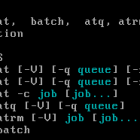
Although CronTabs are useful, sometimes you just want to run a command at a given time once and not have it reoccurring. The commands `at` and `batch` can do just that. The `at` command can be used to run a command based on a specific time. Lets say you wanted to run a command 1 day in advance or even 1 hour from your current time, `at` would be the tool to use. `batch` on the other […]
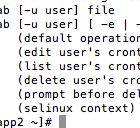
Setting up linux crontabs is alot easier then it appears. In order to setup linux crontabs successfully you need to understand how the units of time work. Here is a table in the order of priority from top to bottom with a break down of the values you can use. minute (0 – 59) hour (0 – 23) day of the month (1 – 31) month (1 – 12) OR jan, feb, mar, apr… day of the […]





Follow DevBlog.co on Twitter
follow us on Twitter
Join DevBlog.co is on Facebook!
DevBlog.co on Facebook
Follow DevBlog.co on Digg!
DevBlog.co on Digg